Virtual Try-On for Framer + Shopify Headless Storefronts
Whether you run a native Shopify Online Store 2.0 theme or a high-converting Framer + Shopify headless storefront, Style Swap AI provides both a drop-in Framer component (`StyleSwapTryOn.tsx`) and a signed Shopify App Proxy + custom DOM event bridge.
Customize `StyleSwapTryOn.tsx` Property Controls & Preview Live on a Framer Canvas
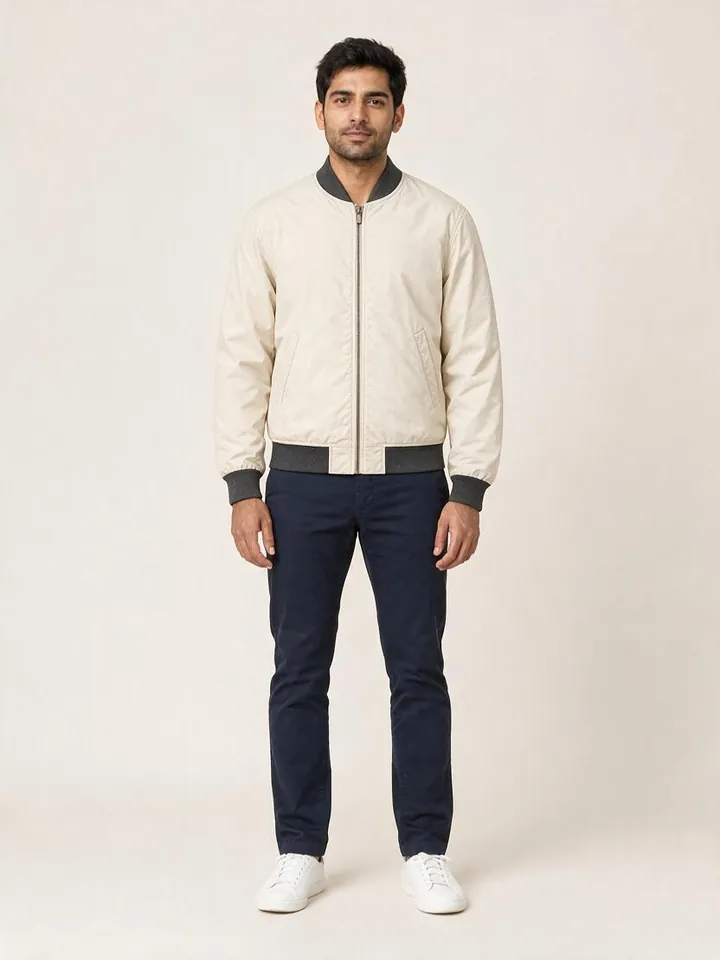
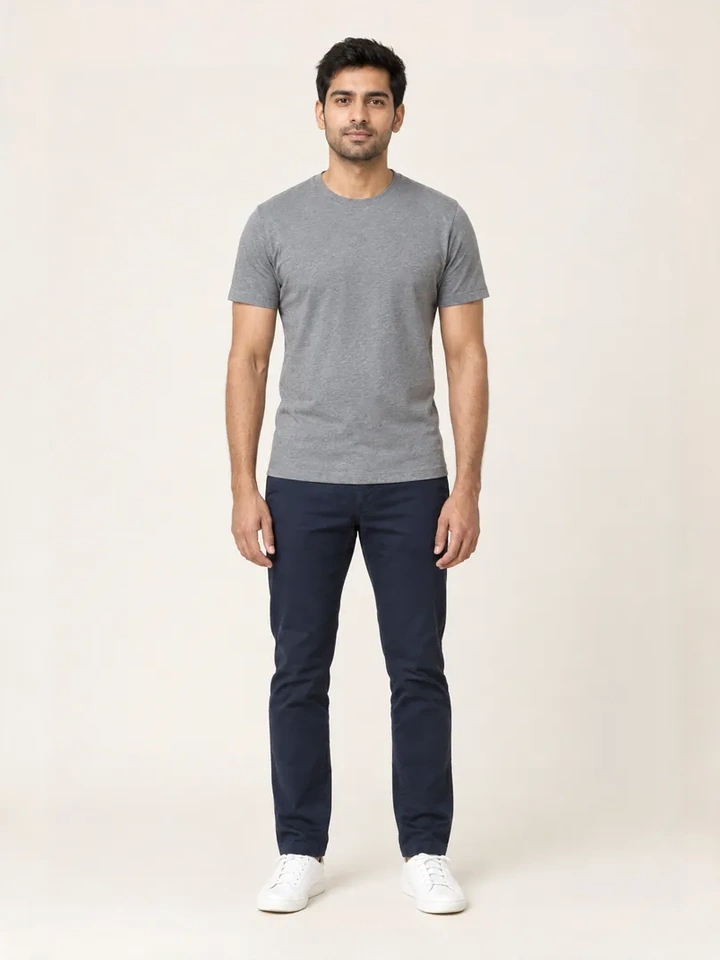
From Casual Mirror Selfies to 10-Second Dubai Luxury Lookbook Reels
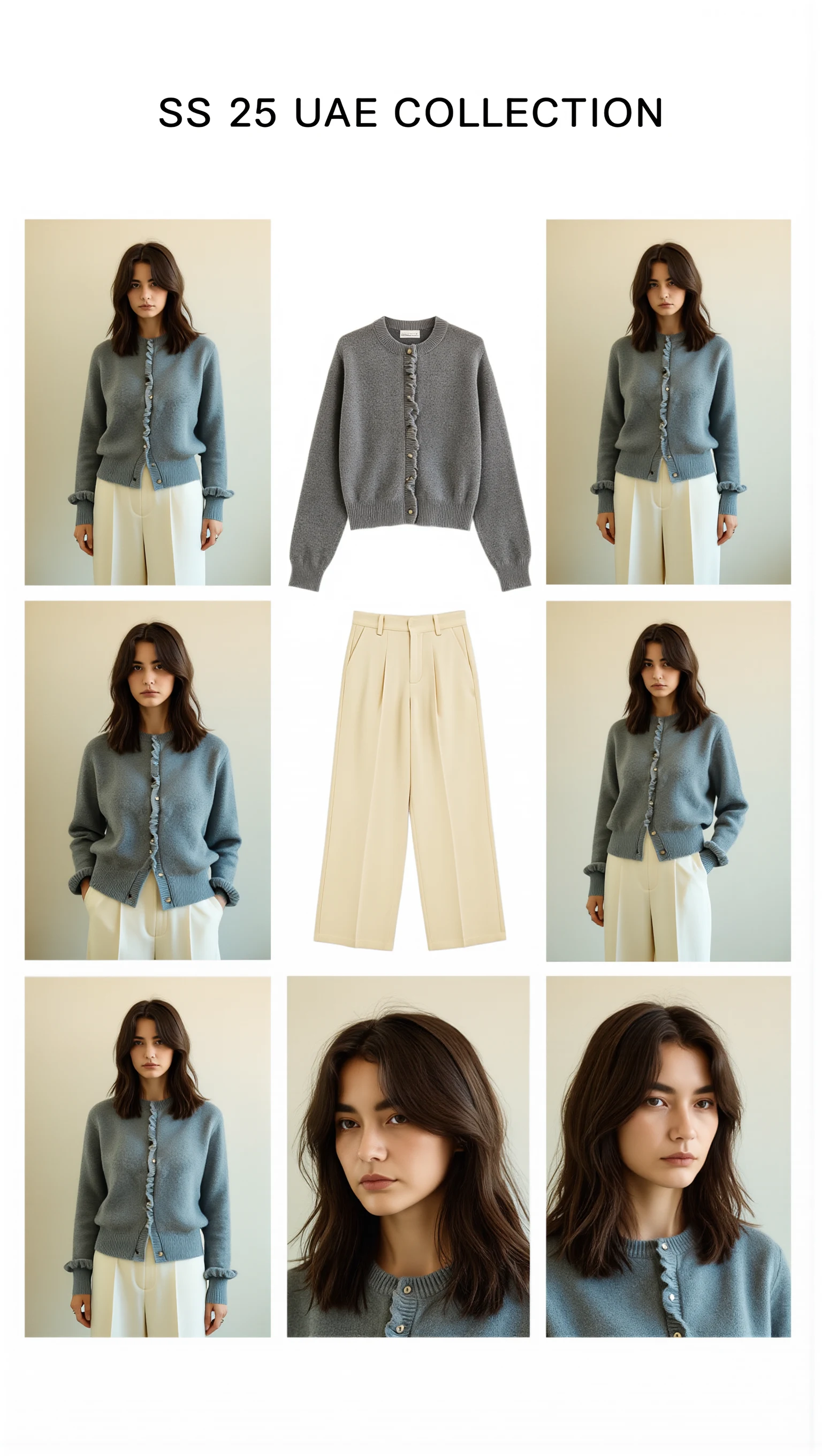
Cast across a cosmopolitan UAE lineup (Emirati/Arab, Afro-Arab, South Asian, Mediterranean & East Asian models) with automatic modest-luxury restyling, 100mm macro fabric close-ups, and Sweet Pants SS25–inspired 3×3 Editorial Bento Lookbook Grids.

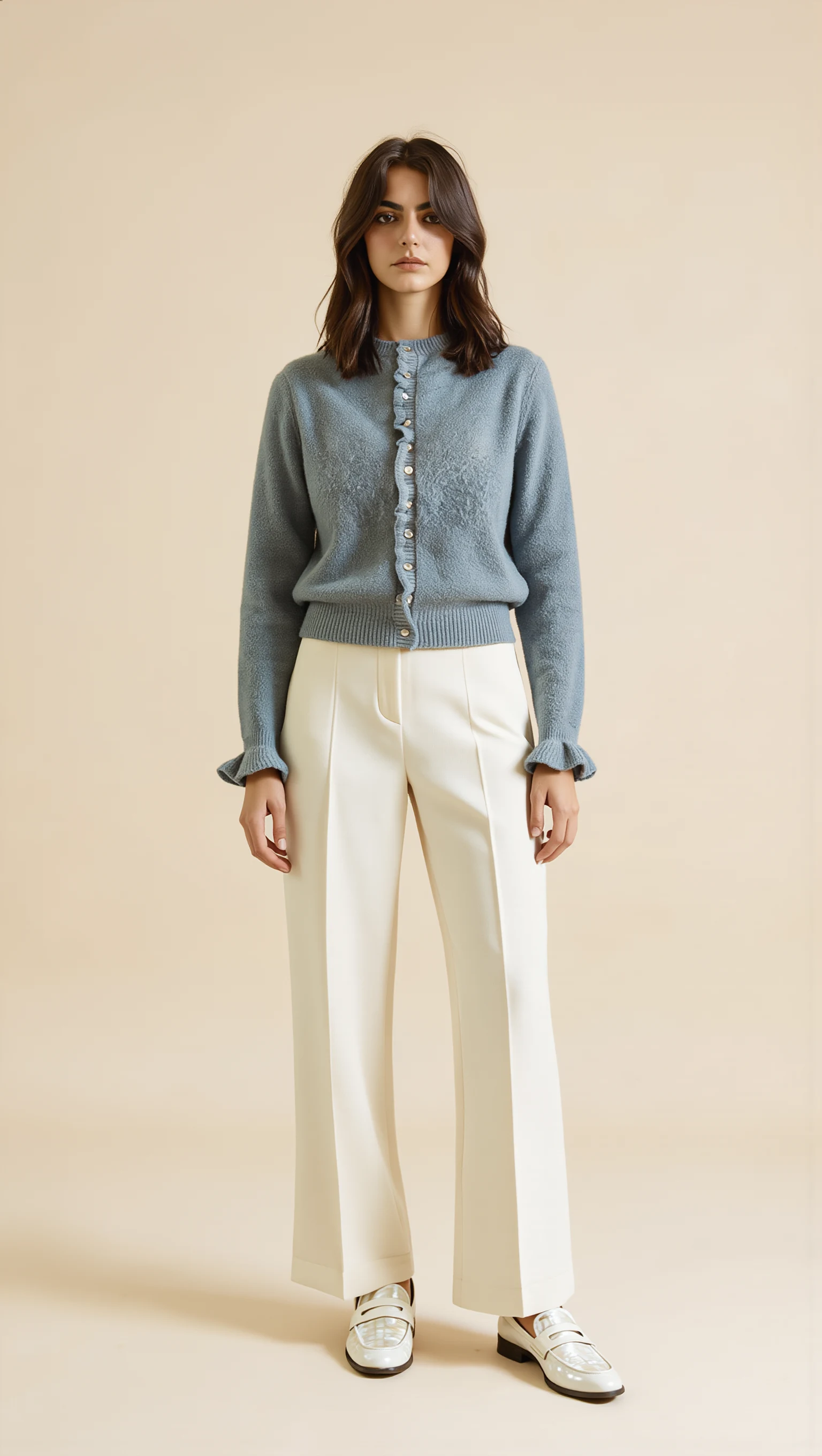
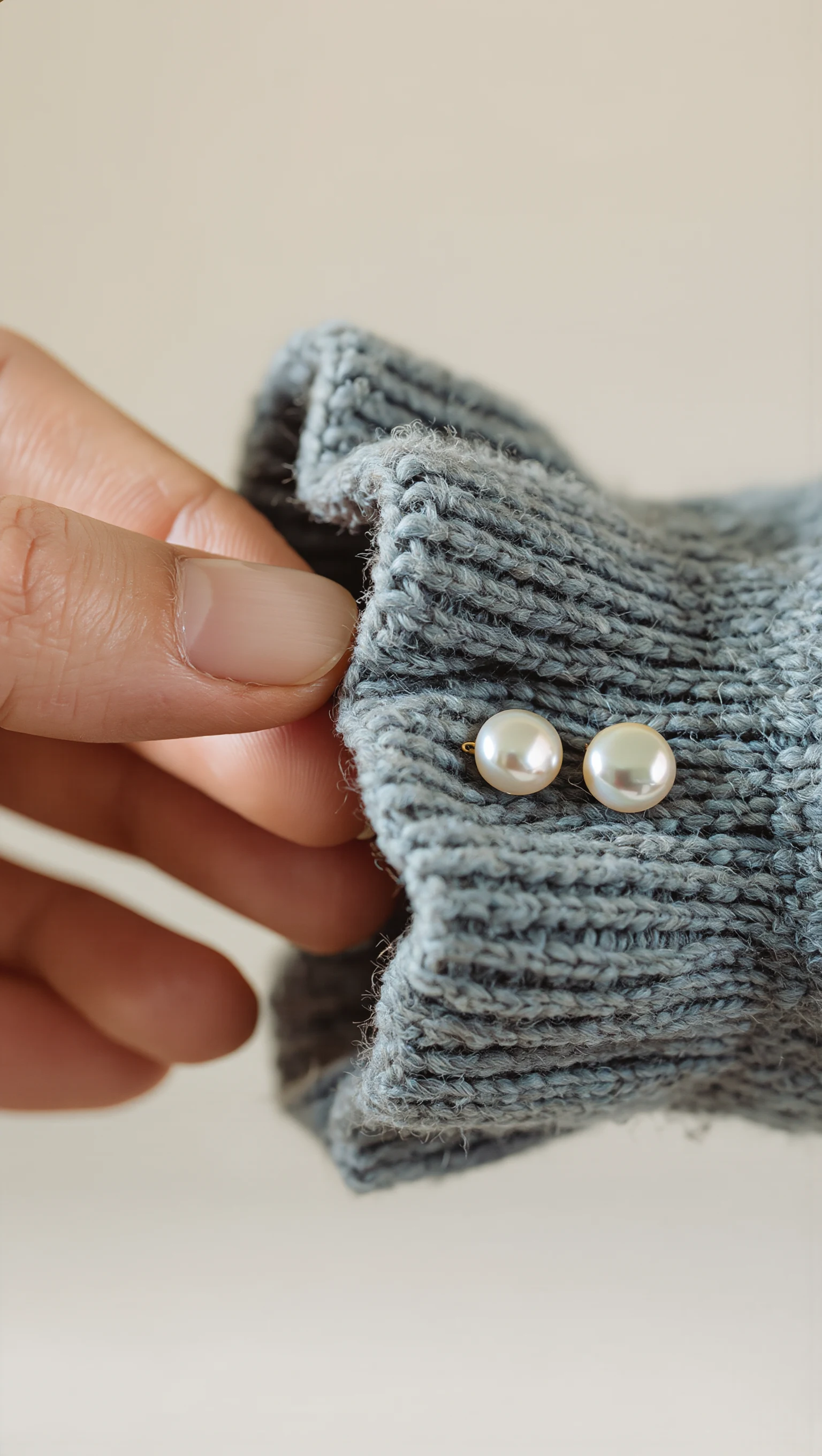
Dusty Slate-Blue Brushed Mohair Cardigan & Ivory Palazzo Trousers
Restyled from a cropped mirror selfie into a full-length Dubai modest-luxury studio look with mother-of-pearl buttons & lettuce-edge cuffs.
Two Seamless Integration Paths for Framer + Shopify Brands
Design-forward D2C apparel brands increasingly build editorial product pages in Framer synced to a Shopify backend (via Shop Canvas, Framer Commerce, or Storefront API). Style Swap AI is the only virtual try-on platform engineered specifically for both Shopify OS 2.0 and Framer:
- Path A — 100% On-Device / Drop-In Framer Code Component (`StyleSwapTryOn.tsx`) & Official Remix Template: Clone our native Framer Storefront & CMS Remix Template (pre-wired with an 11-field `Products` CMS collection, a 4-piece 'Complete the Look' accessory grid for Hat, Scarf, Shoes, and Sandals, 5 Design Panel onboarding guides, and a Zero-Storage Privacy Lock badge) or drop `StyleSwapTryOn.tsx` into any existing Framer canvas.
- Path B — Signed Shopify App Proxy & Custom DOM Event Bridge: Connect your Framer storefront to your existing Shopify Style Swap AI subscription (`Trend`, `Runway`, or `Unlimited Fashion`) so credit metering, Zero-Photo Storage privacy, and Klaviyo sync run through a single unified backend.
- Zero Cumulative Layout Shift (CLS): Lazy-loaded slide-over drawer and client-side image normalization keep Lighthouse Performance scores at 98–100 on both Framer and Shopify Dawn themes.
Style Swap AI vs. Legacy Liquid-Only Try-On Apps on Framer + Shopify
| Requirement | Style Swap AI (`seed-try-on`) | Legacy Liquid-Only Shopify Try-On Apps | Custom In-House Replicate / Fal.ai Build |
|---|---|---|---|
| Works on Framer CMS Product Pages (`StyleSwapTryOn.tsx`) | ✓ Native Framer Property Controls + CMS variable binding for image & SKU | ✕ Breaks outside Shopify Liquid (`window.Shopify` dependency) | Requires weeks of custom frontend engineering |
| Unified Billing & Credit Pool on Connected Shopify Store | ✓ Piggybacks your Shopify Billing API subscription; no duplicate SaaS fee | ✕ N/A | ✕ Separate raw GPU API bills + no rate limiting |
| Custom DOM Events for Headless Cart Drawers | ✓ Emits `seed-try-on:open`, `seed-try-on:add-to-cart`, `seed-try-on:complete-look-add` | ✕ Hardcoded to `/cart/add` form redirects | Manual implementation required |
| SSRF, CORS & Sliding-Window Rate Limit Hardening | ✓ Built-in origin allowlisting, private IP blocking & MIME validation | Partial | ✕ Exposed API keys or unthrottled endpoints |
| 3-Piece Outfit Layering & 9:16 Story Card Export | ✓ Included out-of-the-box | ✕ Single SKU only | ✕ Must build canvas compositor from scratch |
Drop-In Framer Component (`StyleSwapTryOn.tsx`) with Native Property Controls
For agencies and founders building in Framer, `StyleSwapTryOn.tsx` exposes clean Framer `addPropertyControls` bindings so designers can wire virtual try-on to any Framer CMS collection item in under 2 minutes without writing glue code.
- CMS Field Binding: Bind `productImage`, `productTitle`, `productId`, and `variantId` directly from your synced Shopify CMS collection in Framer.
- 100% On-Device Pre-Processing: Shopper photo resizing (`maxDim: 1400px`), aspect-ratio cropping, and 9:16 Story Card canvas rendering execute 100% on-device in the shopper's browser for instant responsiveness.
- Shop Canvas & Headless Cart Compatibility: When the shopper clicks 'Add to Cart' inside the try-on result view, the component dispatches standard custom DOM events so your Framer cart component updates immediately.
// Example: Wiring Style Swap AI custom events into a Framer / Headless Shopify cart
useEffect(() => {
  const onTryOnCartAdd = (e: CustomEvent<{ variantId: string; quantity: number }>) => {
    shopifyHeadlessCart.addLineItem({
      merchandiseId: `gid://shopify/ProductVariant/${e.detail.variantId}`,
      quantity: e.detail.quantity || 1,
    });
  };
  window.addEventListener("seed-try-on:add-to-cart", onTryOnCartAdd as EventListener);
  return () => window.removeEventListener("seed-try-on:add-to-cart", onTryOnCartAdd as EventListener);
}, []);
Server-Side Security, Origin Allowlisting & Unified Shopify Billing
Unlike client-side widgets that leak API keys or require a separate billing account for headless storefronts, Style Swap AI routes all inference requests through your Shopify store's authenticated App Proxy (`/apps/try-on`).
- Zero Exposed Credentials: OpenRouter (`Seedream Lite` and `Seedream 5.0 Pro`) keys stay strictly on the server.
- SSRF & Payload Validation (`app/utils/proxy-security.server.ts`): Every product image URL is verified against HTTPS allowlists and private IP blocks (`127.0.0.1`, `10.x`, `169.254.x`, `192.168.x`), while base64 shopper images are MIME-verified in memory.
- Programmatic Drawer Trigger: Any custom Framer button can open the fitting room on demand by dispatching `window.dispatchEvent(new CustomEvent('seed-try-on:open'))`.
Common Founder & Technical Questions: Framer + Shopify Headless
Can I use the same Style Swap AI subscription on both my Shopify store and my Framer storefront?
Yes. Style Swap AI meters credits at the Shopify shop level. Whether a shopper triggers a try-on from a native Shopify OS 2.0 product page or a connected Framer headless product page, it draws from the same plan allowance (`Trend`, `Runway`, or `Unlimited Fashion`).
How do I trigger the Style Swap AI drawer from a custom button in Framer?
You can either render the `StyleSwapTryOn.tsx` button directly in your Framer canvas or attach an `onClick` handler to any existing Framer button that runs `window.dispatchEvent(new CustomEvent('seed-try-on:open'))`.
Does the Framer integration support Zero-Photo Storage Privacy Mode?
Yes. Shopper photos are normalized 100% on-device in the browser and processed in volatile server memory during the 8–12 second inference window without ever being stored in a database.