Bridal & Eveningwear Dresses: Cut Bracket Orders with AI Complete-the-Look Try-On
For bridal, bridesmaid, black-tie and wedding-guest DTC brands, Style Swap AI layers Seedream 5.0 Pro try-on with modest studio presets and five atmosphere remixes to de-risk occasionwear purchases. The result: fewer multi-size bracket returns and higher coordinated multi-garment AOV.
Toggle Companion Garments & Test 5 Instant “See It In…” Lighting Scenes
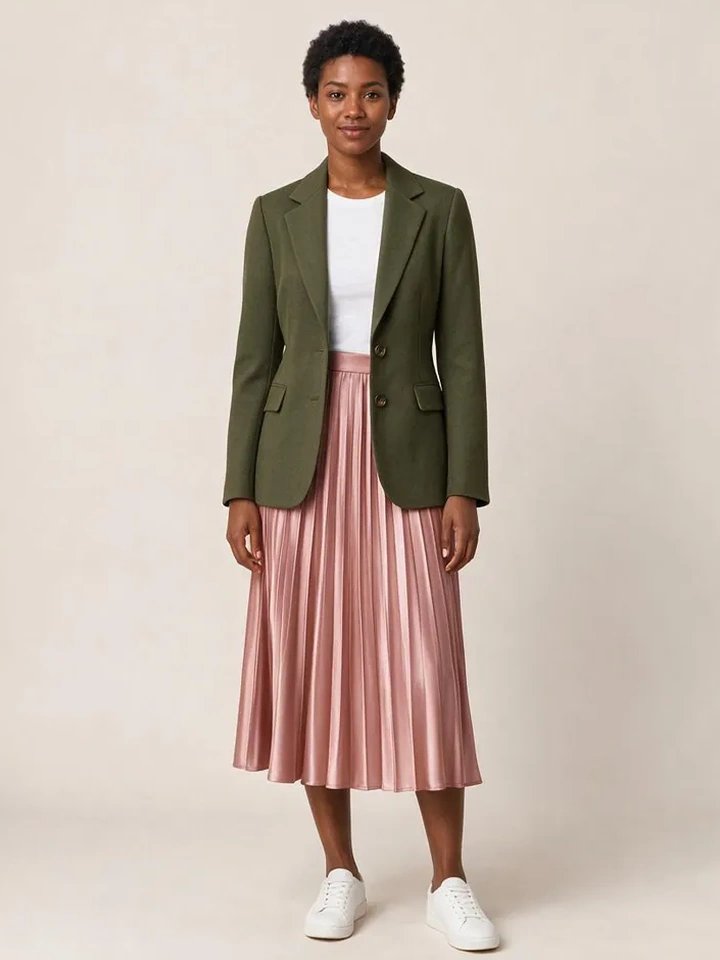
From Casual Mirror Selfies to 10-Second Dubai Luxury Lookbook Reels
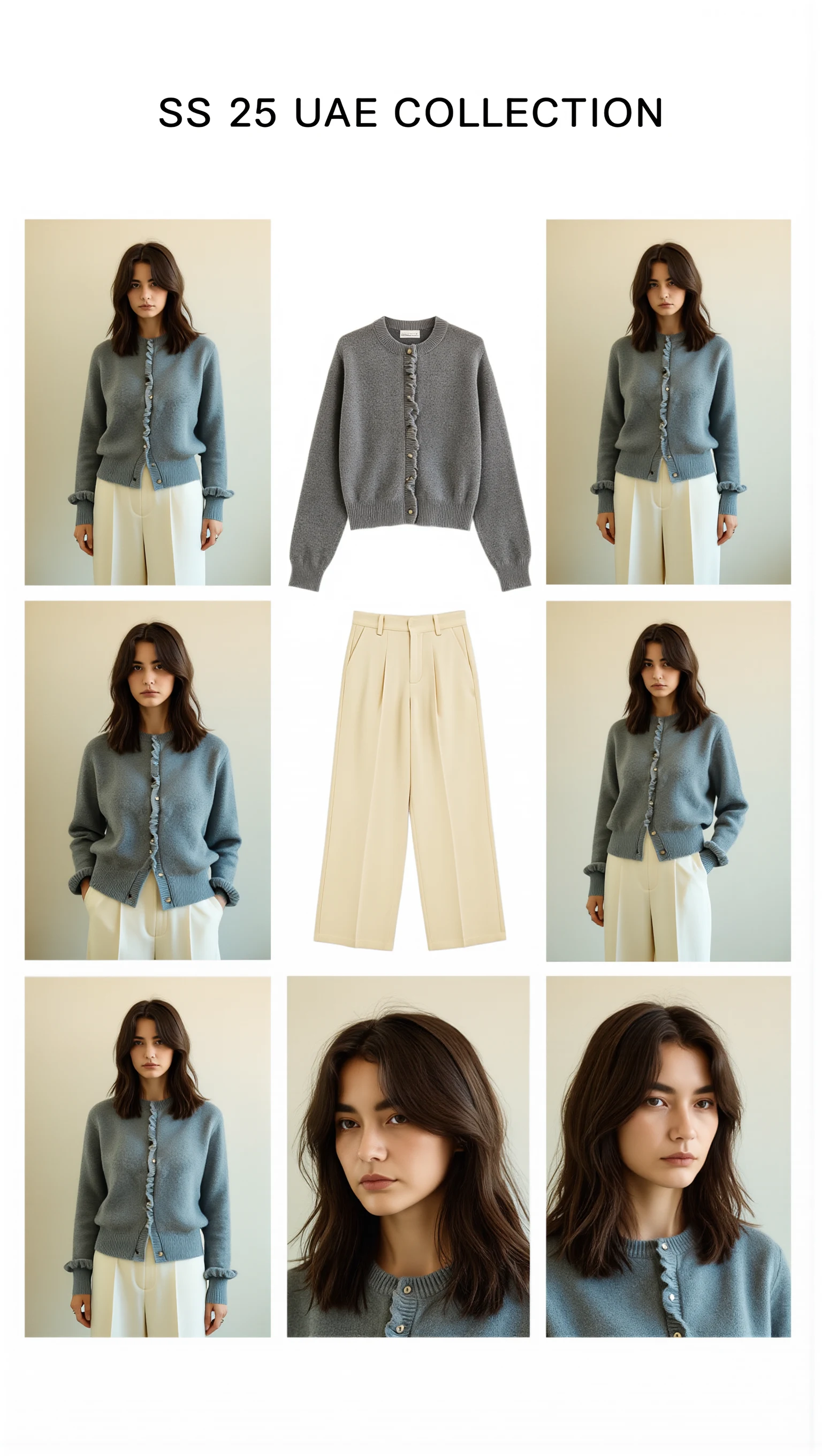
Cast across a cosmopolitan UAE lineup (Emirati/Arab, Afro-Arab, South Asian, Mediterranean & East Asian models) with automatic modest-luxury restyling, 100mm macro fabric close-ups, and Sweet Pants SS25–inspired 3×3 Editorial Bento Lookbook Grids.

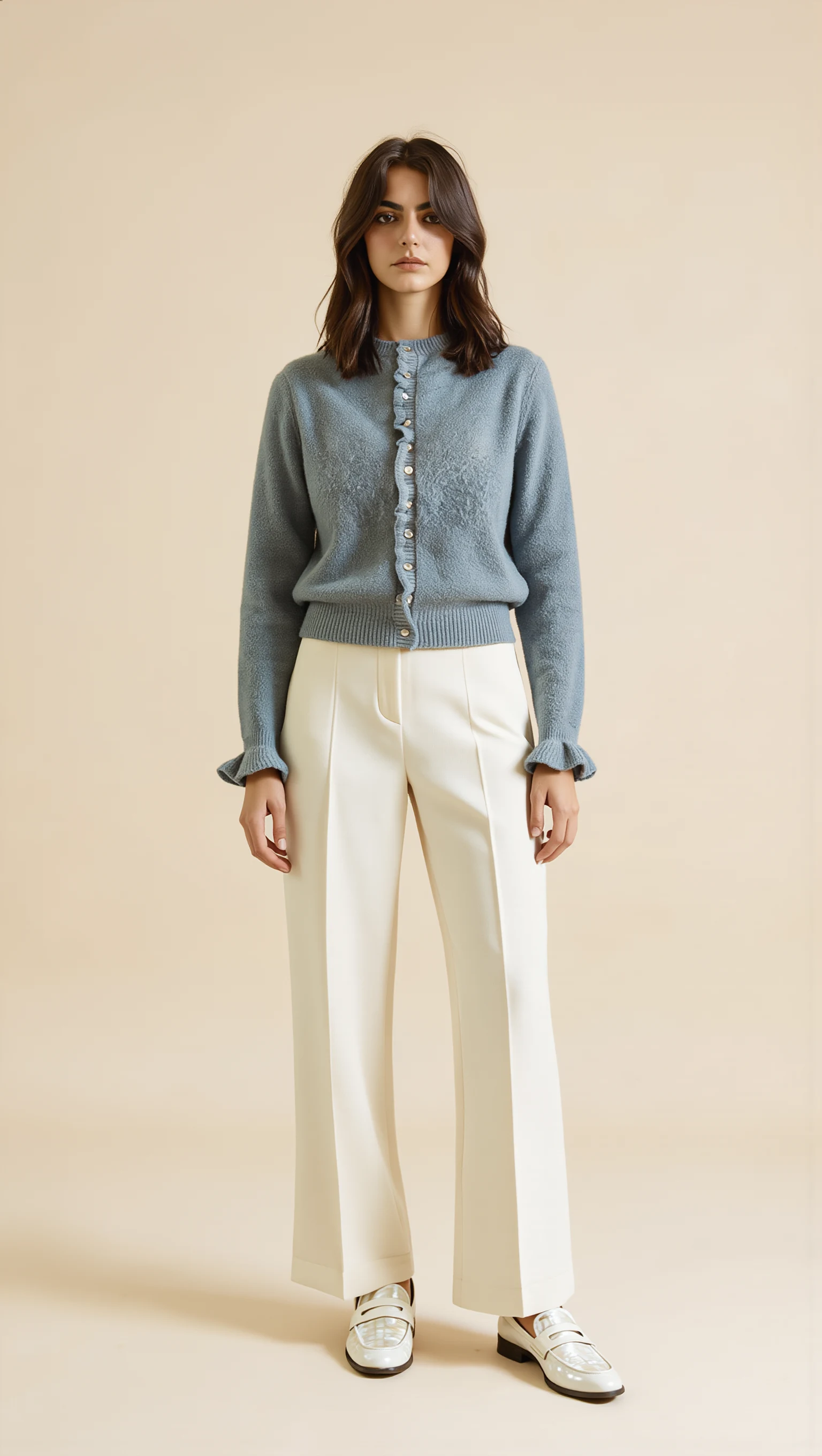
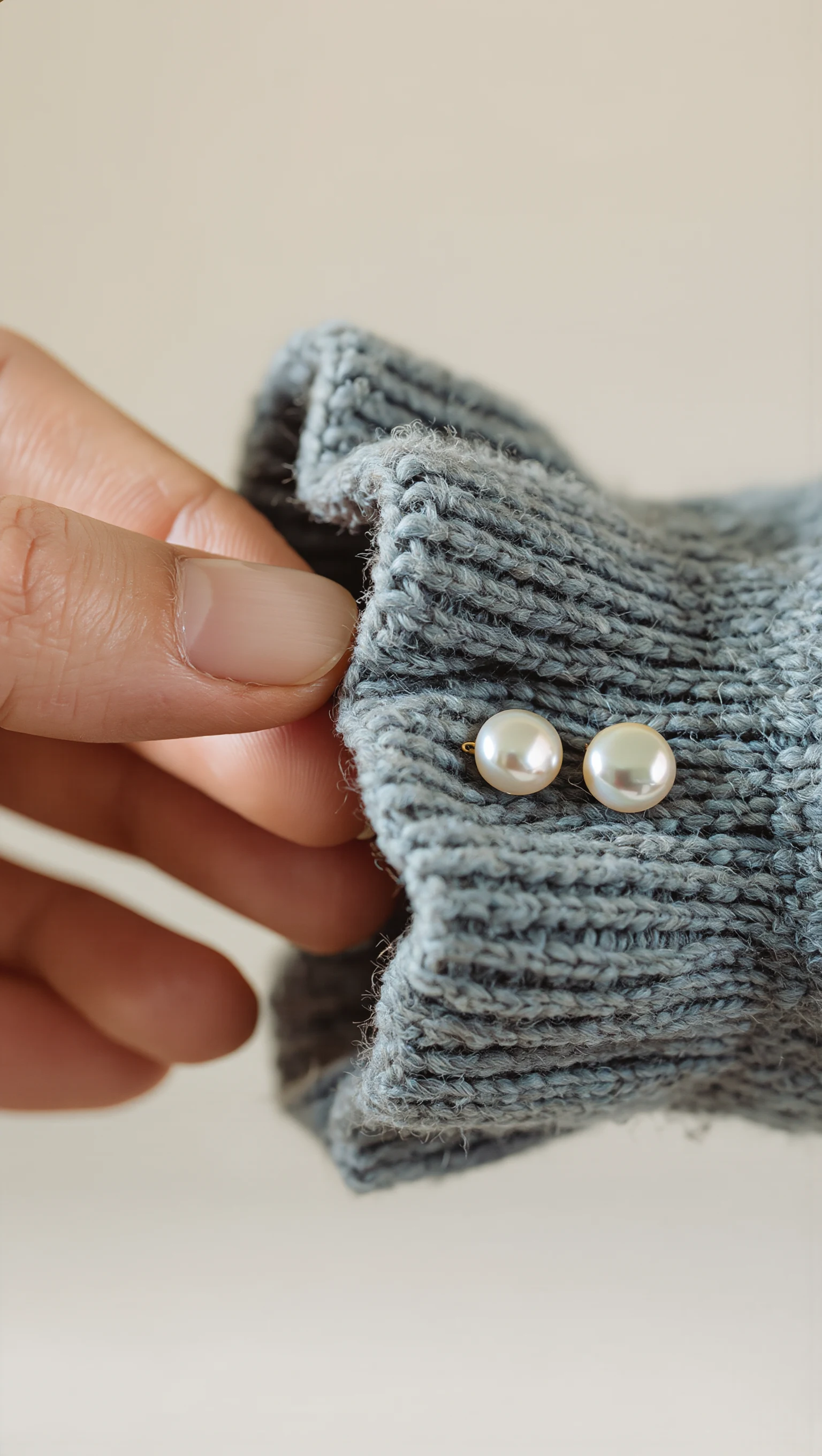
Dusty Slate-Blue Brushed Mohair Cardigan & Ivory Palazzo Trousers
Restyled from a cropped mirror selfie into a full-length Dubai modest-luxury studio look with mother-of-pearl buttons & lettuce-edge cuffs.
Calculate Your Monthly Return Savings & “Complete the Look” AOV Lift
Adjust the sliders below to model how reducing style/silhouette returns by 22% (relative) and lifting multi-garment bundle AOV compares against Style Swap AI’s $19.99/mo Trend and $49.99/mo Runway plans.
Executive Summary: Occasionwear Without the Return Bracket
Style Swap AI compresses occasionwear evaluation into a zero-install app block: Seedream 5.0 Pro returns 1K Quick Mode try-ons in ~8–10 seconds and 2K Studio Mode for beadwork and lace, while five atmosphere remixes show the same gown in ceremony and reception light. A 3-piece Complete the Look engine and zero-photo privacy architecture convert bridal-party traffic into higher-AOV bundles without storing a single selfie.
- Cut multi-size bracket orders on gown PDPs by letting shoppers re-light one try-on with Golden Hour (outdoor ceremony) and Evening Lounge (reception) remixes—set a pilot KPI of 20%+ fewer brackets against a holdout.
- Lift AOV with 3-piece Complete the Look bundles (gown + veil + evening jacket) driven by custom.pair_with metafields and 1-click /cart/add.js checkout; target +$40 incremental AOV per bundle session.
- Stay GDPR, UAE PDPL and Saudi PDPL compliant with client-side EXIF stripping and volatile-RAM processing over TLS 1.3—zero shopper selfies ever reach Shopify Admin or merchant databases.
- Prove ROAS with server-side Klaviyo 'Tried On Product' events joined to Shopify orders/paid webhooks for per-gown-SKU revenue and AOV attribution.
Style Swap AI vs Legacy Bridal Virtual Try-On Tools
| Requirement | Style Swap AI (`seed-try-on`) | Legacy AR fitting-room plugins | Editorial lookbook PDP carousels |
|---|---|---|---|
| 2K gown drape & fabric fall on real shopper photo | ✓ Seedream 5.0 Pro Studio Mode renders 2K satin, tulle, lace and crepe with correct drape, sheen and beadwork detail on the shopper's own photo. | ✕ Generic 3D avatars ignore fabric physics; no real selfie segmentation. | Static mannequin or model shot; no shopper context. |
| Multi-garment bridal party layering | ✓ 3-piece Complete the Look stacks gown + veil/topper + evening jacket via custom.pair_with metafields, with 1-click /cart/add.js bundle checkout. | ✕ Single SKU only; bridesmaid bundle coordination requires separate sessions. | Lookbook gallery, no bundle add-to-cart. |
| Golden Hour, Evening Lounge & Desert Resort lighting remixes | ✓ One tap re-lights the same try-on for outdoor ceremonies, receptions and destination settings. | ✕ Fixed studio lighting; no atmospheric context. | Separate photoshoots per scene—expensive and static. |
| Zero-photo storage privacy | ✓ Client-side EXIF strip + TLS 1.3 volatile RAM; no selfie written to database. | ✕ Cloud stores selfie for session; GDPR/PDPL risk for bridal consultations. | No selfie, but no personalization either. |
| RTL Arabic & modest studio models | ✓ Automatic dir="rtl" Arabic UI, modest studio model presets and Hijab Matte Lock for GCC bridal catalogs. | ✕ LTR only; no modest default model options. | Localized lookbook possible, but no try-on. |
| Closed-loop Klaviyo & ROI attribution | ✓ Server-side Tried On Product event plus Shopify paid webhook revenue by SKU. | ✕ No event-level attribution; try-on sessions untracked. | UTM only; no product-level try-on intent. |
Use Golden Hour & Evening Lounge Remixes to Replace the Fitting Room
Occasionwear returns spike when a gown shot in flat studio light arrives looking different at a golden-hour ceremony or candlelit reception. Style Swap AI's five instant atmosphere remixes—Studio Editorial, Golden Hour, Evening Lounge, Parisian Street and Desert Resort—re-light the same shopper photo so she can judge fabric sheen, sleeve volume and hemline movement in context. Ship the remix toggle as a zero-CLS app block or floating pill directly on bridal PDPs.
- Default bridal and bridesmaid PDPs to Studio Editorial, then merchandise Golden Hour as the 'outdoor ceremony' view, Evening Lounge as the 'reception' view and Desert Resort for destination-wedding capsules.
- Run a holdout A/B test: enable remixes on half of gown PDP traffic and compare add-to-cart rate and multi-size bracket rate before peak season.
- Set Studio Mode (2K) as the default on satin, lace and beaded gowns where Quick Mode (1K, ~8–10s) can soften beadwork; reserve Quick Mode for high-traffic bridesmaid category pages.
- Pair remix output with the 9:16 Story Card generator (1080x1920 canvas) so brides share looks to WhatsApp and Instagram group chats via Web Share API before committing.
- Pilot before install: paste any public Shopify product URL into the live sandbox at https://seed-try-on.fly.dev/demo to preview a try-on in ~8–12 seconds.
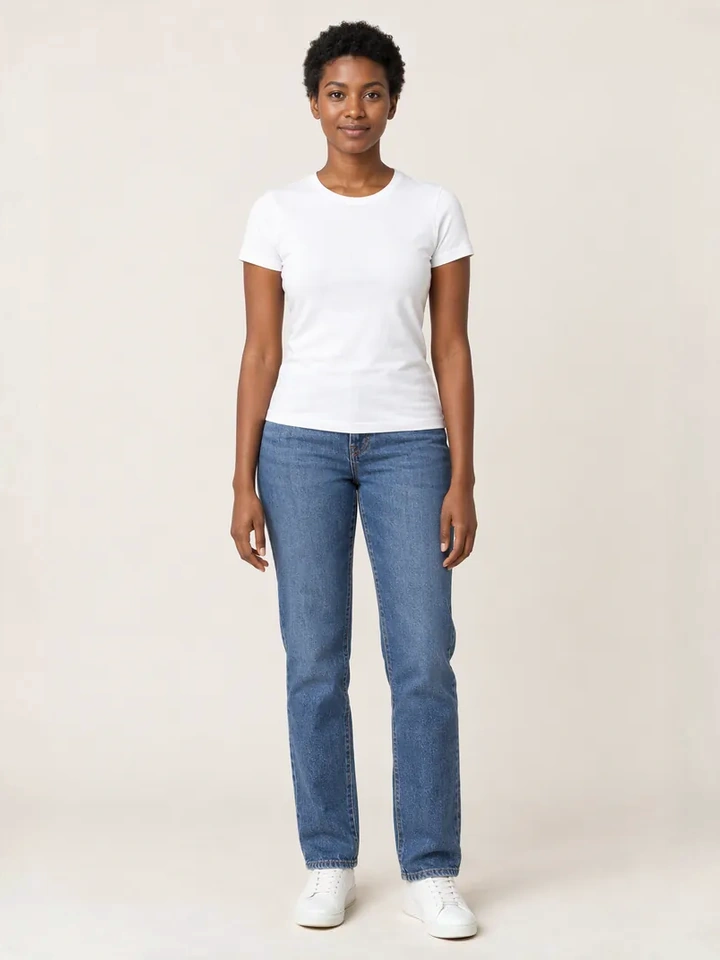
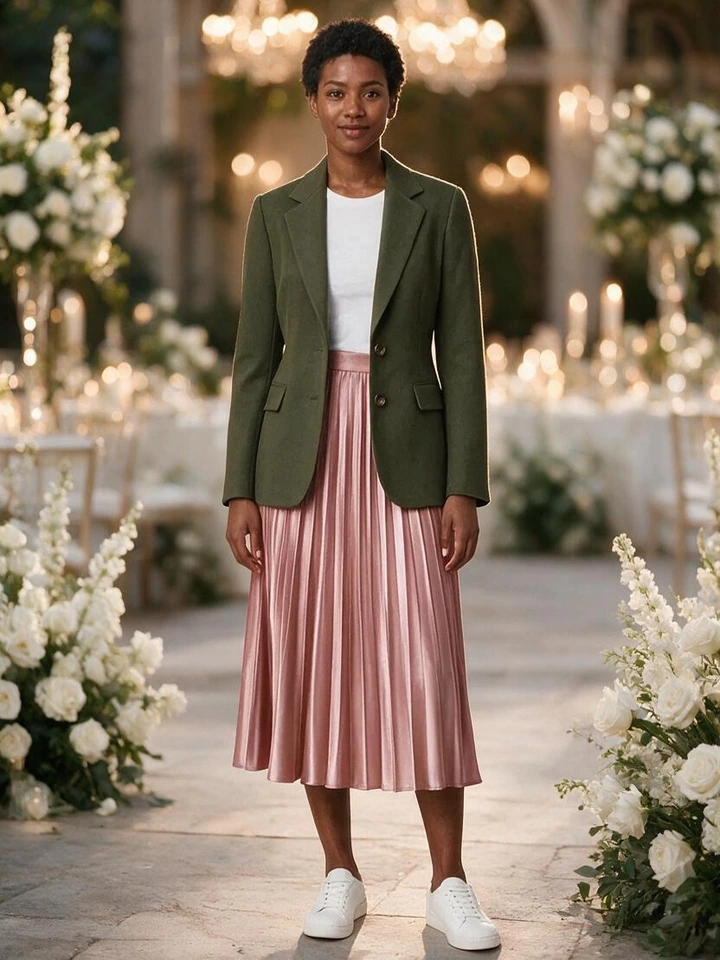
Bundle the Bridal Party: 3-Piece Multi-Garment Try-On
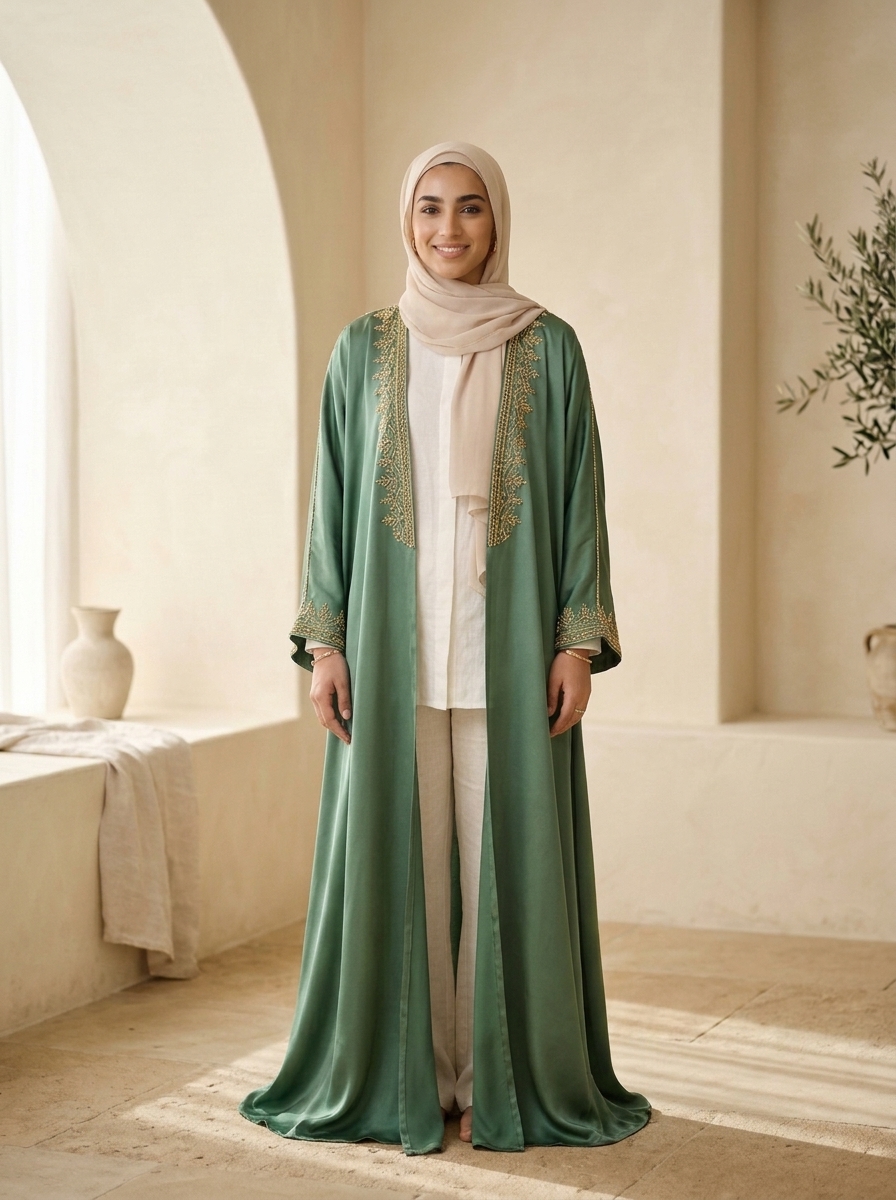
Bridal and bridesmaid purchases are rarely single-SKU. Style Swap AI layers up to three garments—gown, veil or topper, and evening jacket or abaya—onto one selfie, resolving pairings from custom.pair_with metafields, DOM cross-sell detection, or the Shopify Product Recommendations API. One tap adds every variant to cart through a single /cart/add.js bundle call, converting coordination friction into AOV.
- Merchandise the trio: set the custom.pair_with product-reference metafield on every gown to its coordinating veil, bolero or evening jacket so Complete the Look prefills all three layers.
- Let the app fall back to DOM cross-sell detection and the Shopify Product Recommendations API for new arrivals you have not manually curated yet.
- Bundle checkout posts every variant ID in one /cart/add.js call—listen for the seed-try-on:complete-look-add DOM event to trigger a bridal-party discount banner or free-shipping progress bar.
- Track bundle attach rate per silhouette (A-line, mermaid, column) and prune pair_with suggestions that convert below your baseline.
{% comment %} Gown PDP: expose custom.pair_with variants for Complete the Look {% endcomment %}
{% assign paired = product.metafields.custom.pair_with.value %}
{% if paired %}
  <script>
    window.SeedTryOn = window.SeedTryOn || {};
    // OS 2.0 app block reads custom.pair_with automatically; expose
    // first-available variant IDs for Hydrogen / Next.js headless.
    SeedTryOn.pairedVariantIds = [
      {% for ref in paired %}{{ ref.selected_or_first_available_variant.id }}{% unless forloop.last %},{% endunless %}
      {% endfor %}
    ];
  </script>
{% endif %}Zero-Photo Storage for Luxury Bridal Shoppers & PDPL Compliance
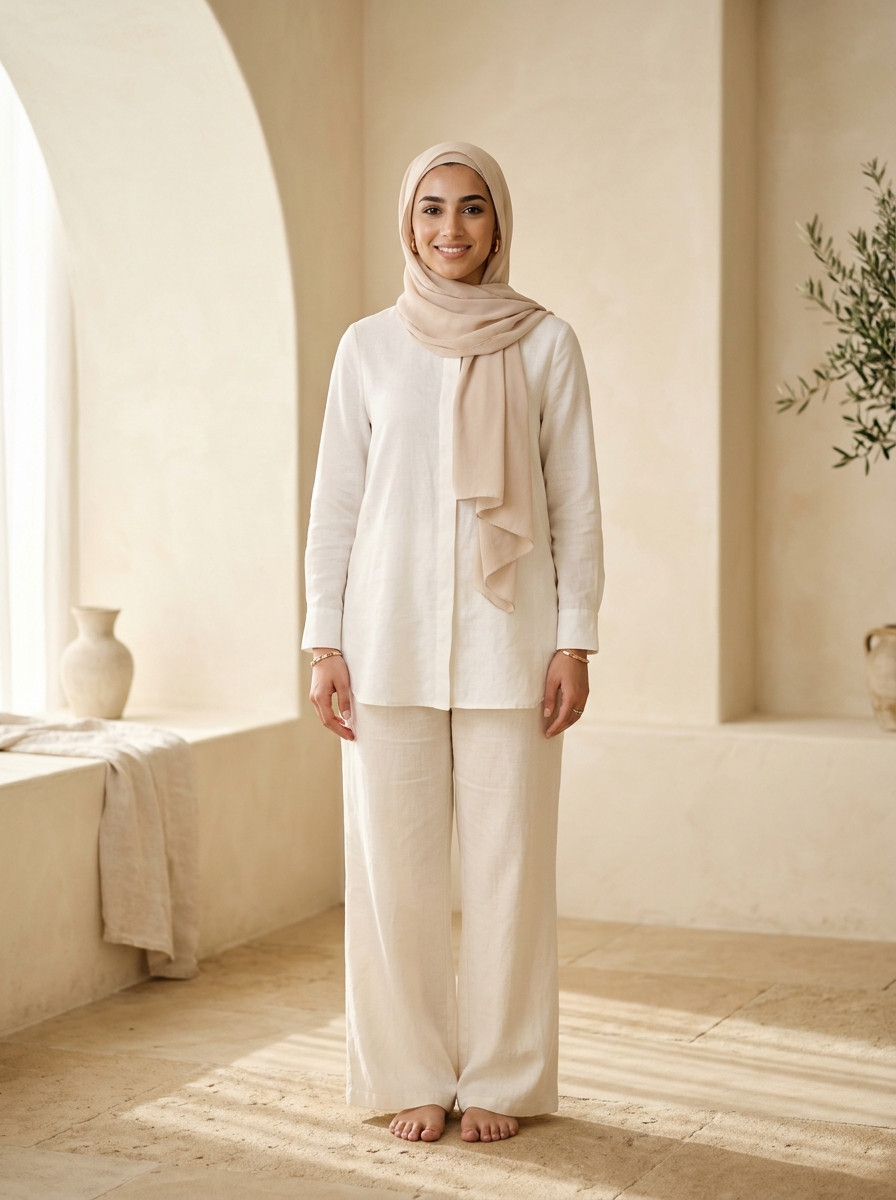
Bridal try-on involves intimate selfies that luxury and modest-fashion shoppers will not upload if they suspect storage. Style Swap AI defaults to privacyZeroPhotoStorage: true—images are EXIF-stripped and compressed client-side (maxDim 1400px), processed in volatile RAM over TLS 1.3, and never written to Shopify Admin or any merchant database. A full dir="rtl" Arabic UI, modest studio model presets and Hijab Matte Lock make the experience native for UAE/GCC bridal catalogs.
- Keep privacyZeroPhotoStorage: true (the default) on all occasionwear PDPs to reduce abandonment from privacy-conscious brides.
- Offer modest studio model presets for zero-selfie evaluation so shoppers can assess silhouette and neckline coverage before uploading their own photo.
- Rely on WeVisOne-VL Hair/Face/Hijab Matte Lock to preserve hijab edges, veils and wispy hair against gown fabrics—critical for modest bridal and GCC eveningwear.
- Enable the automatic dir="rtl" Arabic UI for GCC storefronts; the pipeline is validated on UAE catalogs including Astra Loungewear UAE (astraloungewear.ae) and Bouguessa-inspired minimalist luxury silhouettes.
- Because no selfie is persisted, your GDPR, UAE PDPL and Saudi PDPL data inventory stays unchanged—no new data-protection assessment triggered by the try-on flow.
Closed-Loop Klaviyo Events Prove Occasionwear Try-On Revenue
Style Swap AI emits a server-side 'Tried On Product' Klaviyo event on every completed try-on, then joins Shopify orders/paid webhooks to attribute revenue and AOV to the exact gown SKU. For bridal brands, this closes the loop between try-on engagement, bracket-order reduction and seasonal marketing spend.
- Klaviyo sync (Runway plan and above) fires the server-side Tried On Product event—build a flow that emails the shopper her exact gown plus the pair_with bundle within two hours.
- Join the Shopify orders/paid webhook revenue feed to try-on events for a per-SKU dashboard; segment bridal vs bridesmaid vs wedding-guest to see where brackets fall.
- Compare AOV on Complete the Look bundle sessions vs single-garment try-ons; set an incremental-AOV target (e.g., +$40) and re-merchandise pairings that miss it.
- Use the seed-try-on:add-to-cart and seed-try-on:complete-look-add DOM events (Runway+) to pipe try-on intent into your existing analytics alongside Klaviyo.
Common Founder & Technical Questions: Bridal & Eveningwear Dresses
How does Style Swap AI reduce bracket ordering for bridal gowns?
It renders the gown on the shopper's own photo, then re-lights the same try-on with Golden Hour (outdoor ceremony) and Evening Lounge (reception) remixes so she can validate silhouette, drape and hemline in context before committing to one size. Set a pilot KPI—such as 20% fewer multi-size orders on tagged gown SKUs—and measure against a holdout.
Can I create a bridesmaid bundle with dress, shawl and accessories?
Yes. Use custom.pair_with metafields to link up to three garments, or let DOM cross-sell detection and the Shopify Product Recommendations API suggest pairings. Shoppers tap Complete the Look and check out all variant IDs via a single /cart/add.js call.
Does Style Swap AI store brides' selfies?
No. privacyZeroPhotoStorage is true by default. Images are EXIF-stripped and compressed client-side (maxDim 1400px), processed only in volatile RAM over TLS 1.3, and never written to Shopify Admin or merchant databases.
How do I localize try-on for Arabic-speaking GCC bridal shoppers?
When the storefront locale is Arabic, the app block renders a full dir="rtl" UI, and modest studio model presets plus Hijab Matte Lock support zero-selfie evaluation. The pipeline has been validated on UAE/GCC catalogs including Astra Loungewear UAE.
Which plan is best for a high-volume bridal DTC brand?
All plans include a 7-day free trial with up to 50 try-on credits. Trend ($19.99/month, 100 try-ons, $0.16 overage) fits boutique ateliers; Runway ($49.99/month, 350 try-ons, $0.14 overage) unlocks Klaviyo sync and dev events; Unlimited Fashion ($199.99/month, 2,000 try-ons, $0.10 overage) adds Priority 2K image generation, unlimited shares and a dedicated CSM for peak bridal season.
Can I test Style Swap AI on my gowns before installing?
Yes. Paste any public Shopify product URL into the live zero-install sandbox at https://seed-try-on.fly.dev/demo and a try-on renders in about 8–12 seconds—no app install or theme edit required.